Classic Feature Films & Prelinger Archives
Golden-age features, film noir and the Prelinger collection of advertising, educational and industrial films.

A window to cultural history, right on your TV.
Stream classic films, vintage television, live concerts, old-time radio and historical photography from the Internet Archive (archive.org). License badges and smart filters show you what you're watching, and it all plays on the big screen.
Unofficial app: Internet Archive TV is not affiliated with the Internet Archive.
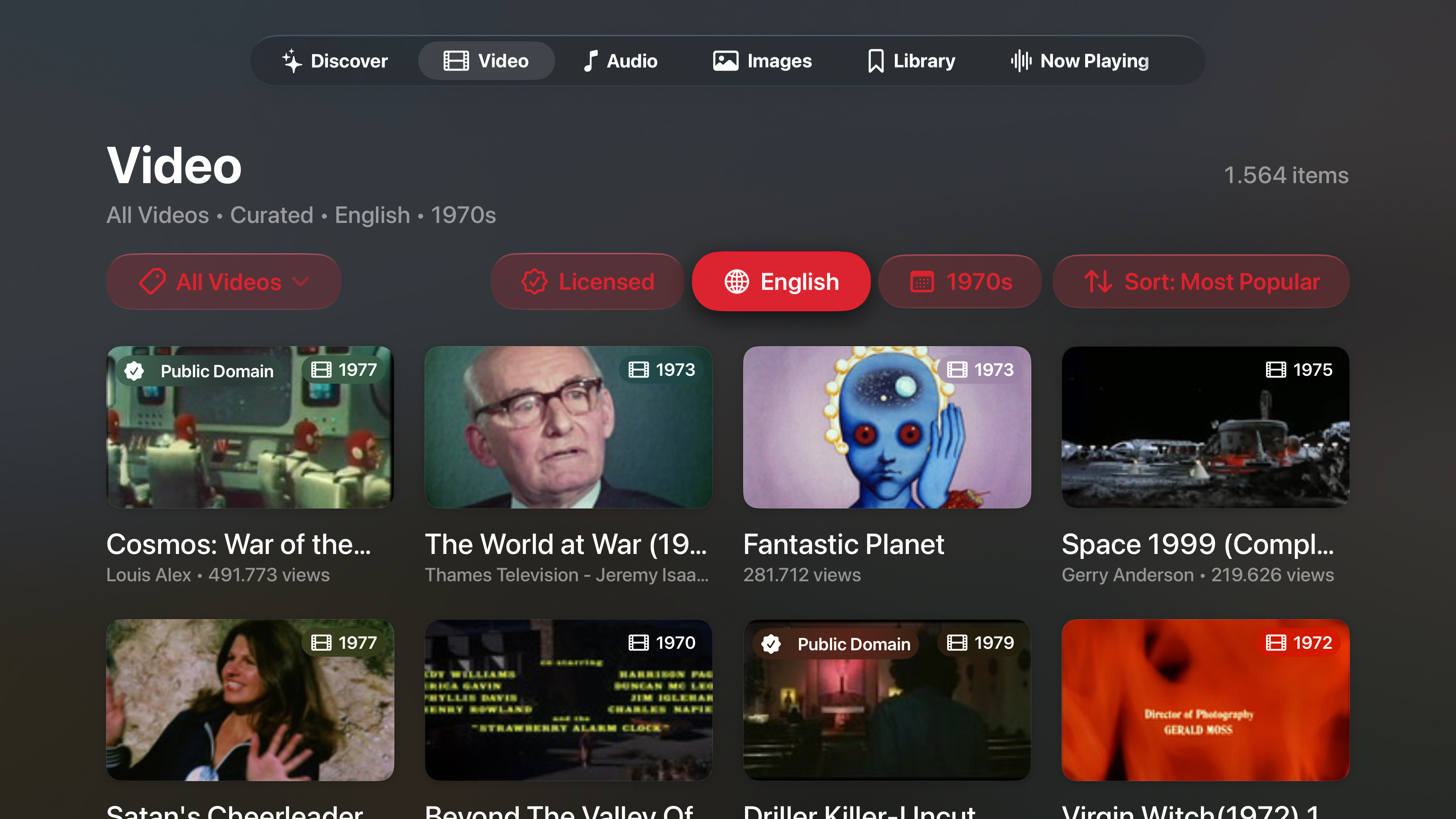
Internet Archive TV brings curated classic films, vintage television, live concerts, old-time radio and historical photography from archive.org to your Apple TV, with every collection browsable from the couch.
Hero showcases and hand-picked shelves come from verified collections. Pick a media type to see what's waiting on each tab.
Showing 6 curated shelves
Golden-age features, film noir and the Prelinger collection of advertising, educational and industrial films.
Early broadcast series, newsreels and hand-drawn cartoons from the first decades of the screen.
Full concert recordings with multi-track queue navigation and artwork, playing in the background.
Radio dramas, mysteries, comedies and spoken-word recordings from radio's golden age.
Missions, launches and deep-space imagery shown full screen.
Collections from the Metropolitan Museum of Art, the Library of Congress and Flickr Commons.
Native players for every media type, plus filters that remember your choices on each tab.
Smooth streaming playback built for the TV screen, for feature films, classic television and vintage animation.
Multi-track queue navigation and artwork for live concerts and classic radio, so the music keeps playing while you browse.
View archival photography and historical collections in full screen, sized for your living room TV.
Dedicated Video, Audio and Image tabs with persistent filters. Browse subject categories ordered by item count, then narrow by language, year range and sort order.
Instant media-type chips, topic suggestions and a choice between curated and broader collection scope.
Save your favorite films, concerts, broadcasts and galleries, and pick up where you left off with your Recently Viewed history.
Public Domain, CC0 and Creative Commons badges appear on cards, showcases and detail pages. Turn on the Licensed filter to see only these works.
Works whose copyright has expired or never applied, such as many early films, newsreels and government imagery.
Works whose creators have waived their rights so the material can be used and shared freely.
Works shared under a Creative Commons license. The license that applies is shown with each work.
Automatic filtering keeps discovery clean by default. If something still isn't right for your living room, you can hide or block it with one click of the remote.
Review and manage hidden items, blocked sources and collection scope anytime in Safety & Terms.
Remove a single film, recording or image from your shelves and search results instantly.
Hide everything from an uploader you don't want to see again.
Exclude an entire collection from discovery with one action.
Scan the QR code with your phone to report an item directly to Internet Archive moderators.
Everything streams directly from the Internet Archive.
Download Internet Archive TV from the App Store on your Apple TV.
Start with the hero showcases and curated shelves, or switch to the Video, Audio or Image tab.
Turn on the Licensed filter, narrow by language or year, and save your favorites to your library.
Quick answers before you press play.
No. Internet Archive TV is an unofficial app by Kammerath Technology and is not affiliated with the Internet Archive. All media streams directly from archive.org.
The curated shelves feature Classic Feature Films and the Prelinger Archives, Classic Television and Vintage Animation, the Grateful Dead and the Live Music Archive, Old Time Radio and Spoken Word, the NASA Space Gallery, and museum and historical photography from the Metropolitan Museum of Art, the Library of Congress and Flickr Commons. Search can also cover a broader collection scope.
Turn on the Licensed filter to show only Public Domain, CC0 and Creative Commons works. The filters on each media tab stay set until you change them.
Yes. The background audio player keeps concerts and radio shows playing while you browse, with multi-track queue navigation and artwork.
Open Safety & Terms to review hidden items, blocked creators and collections, and your collection scope.
Start exploring decades of cinema, music, radio and history on your Apple TV today, or send it to a friend who loves old movies and live recordings.
Internet Archive TV is an unofficial app and is not affiliated with the Internet Archive. All media streams directly from archive.org.
Questions or feedback? Email hello@kammerath.com.